Back

Reachinbox.ai

Reachinbox.ai is a cold email platform, and this case study follows one flow within it: scheduling a follow-up in Onebox. It starts with finding a campaign reply across multiple inboxes and ends with confirming when the follow-up will go out.

Role
Product Designer
Contributors
Senior Product Designer, Product Manager, Developer

The product, and where this flow sits in it

Reachinbox.ai is a platform for running cold email campaigns. Once replies start coming in, Onebox brings conversations from multiple email accounts and campaigns into one inbox. It’s where users find the right thread, check where a lead stands, and decide whether to reply, schedule a follow-up, or update the lead’s status.

This case study focuses on that moment between receiving a reply and deciding what to do next.

The scenario

A lead replies after a demo and asks for more information. The user finds the thread by filtering Onebox to the relevant campaign. They want to draft a reply while the conversation is fresh and send it the next morning.
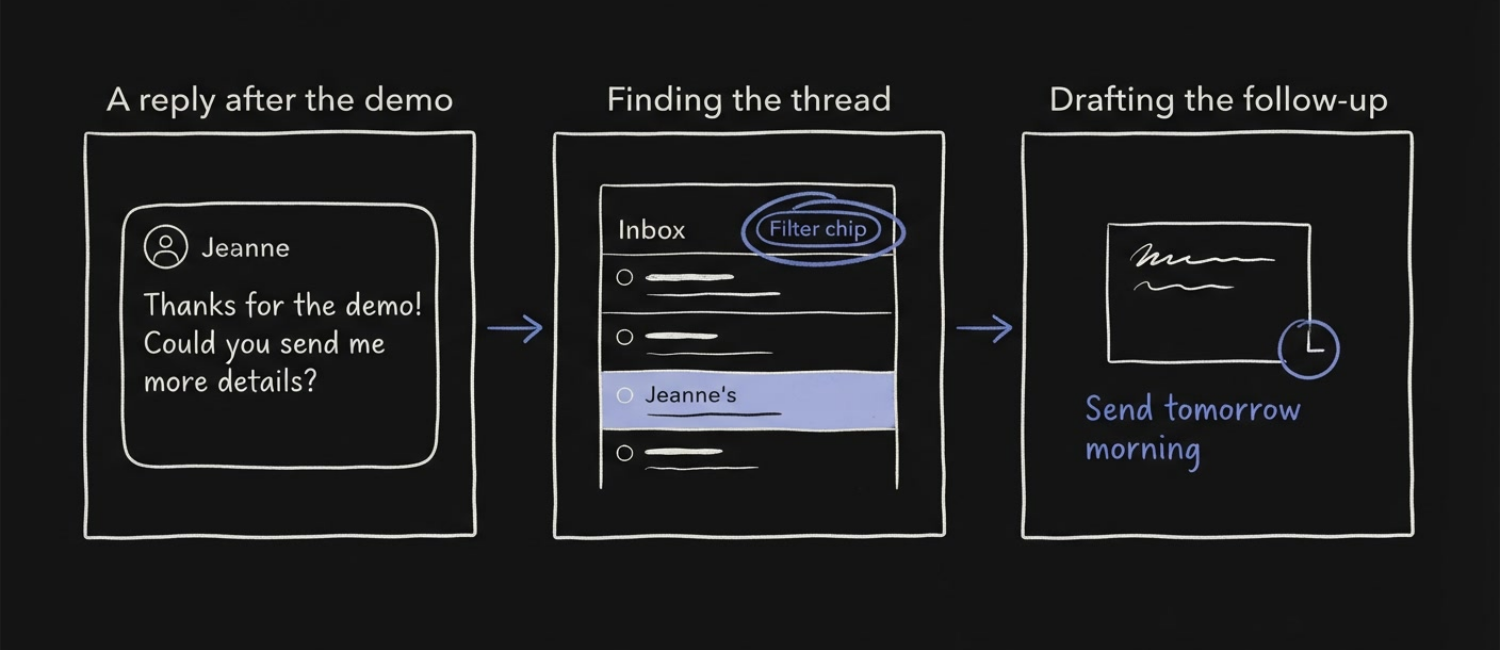
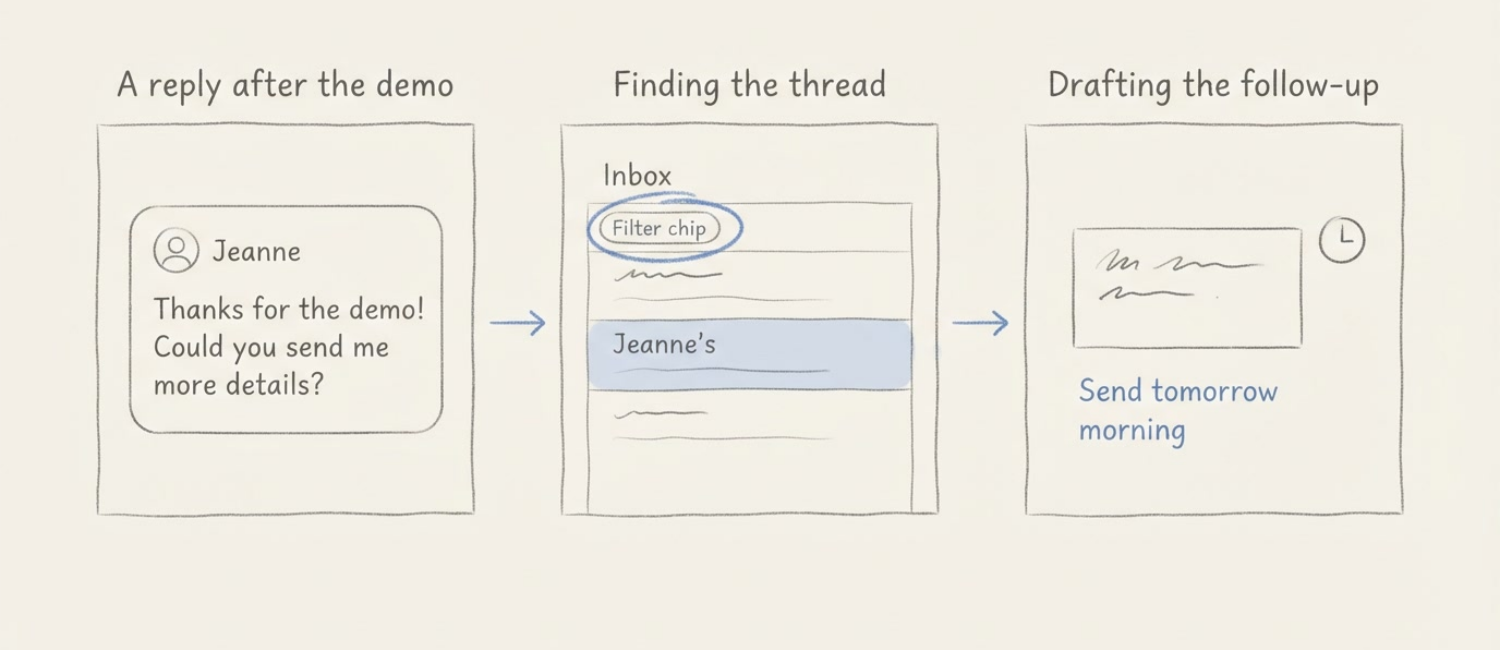
Hand-drawn storyboard illustrating the Onebox scenario: a lead replies after a demo asking
                  for more information, the user filters Onebox to the campaign, drafts the reply while the
                  conversation is fresh, and schedules it for the next morning. Hand-drawn storyboard illustrating the Onebox scenario: a lead replies after a demo asking
                  for more information, the user filters Onebox to the campaign, drafts the reply while the
                  conversation is fresh, and schedules it for the next morning.

The UX decision

I wanted the follow-up to feel like a continuation of the conversation. The reply composer opens in the conversation panel, keeping the inbox and selected lead visible while the user drafts. Once the message is scheduled, it appears under Scheduled emails, where the user can check the send date or cancel it if plans change.
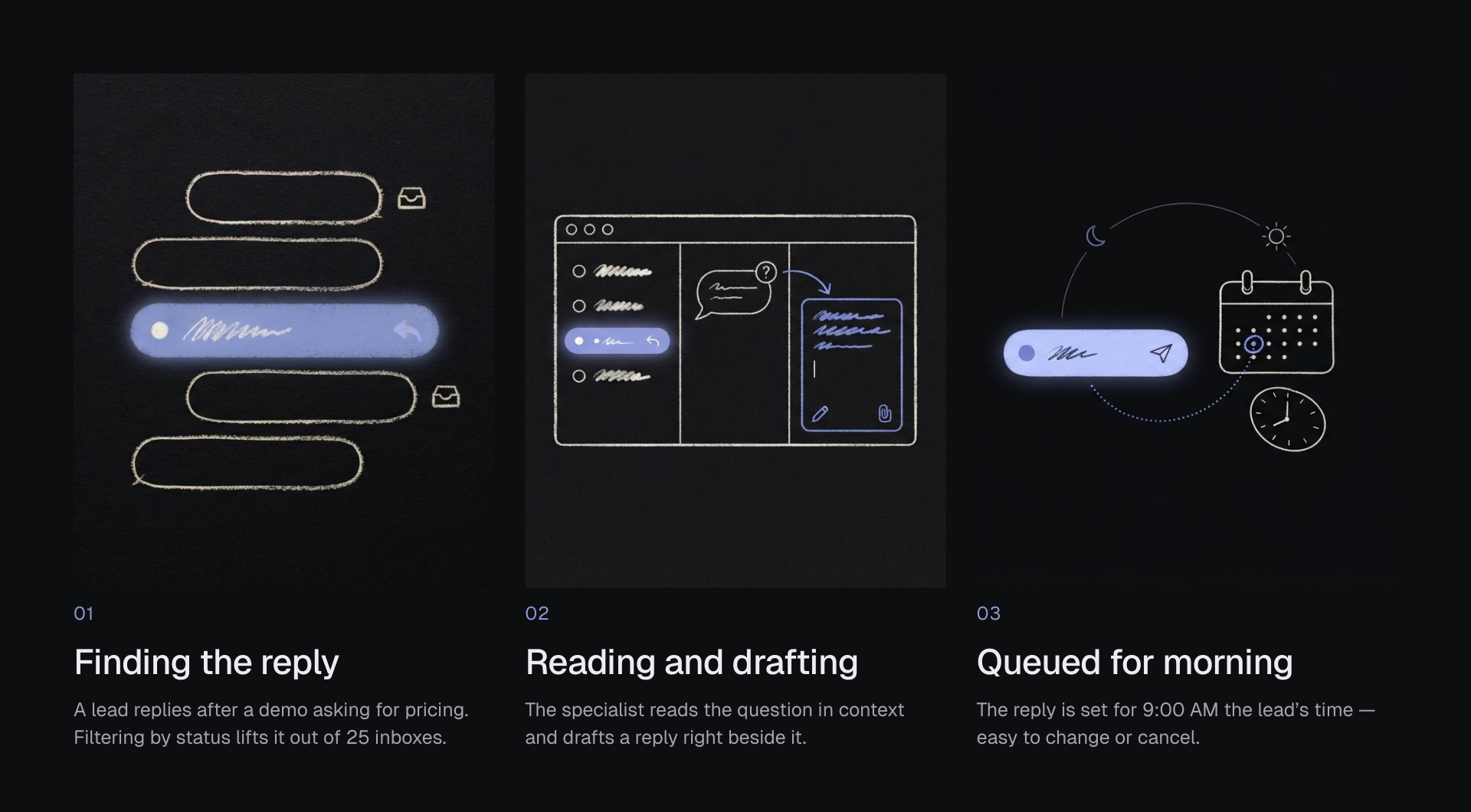
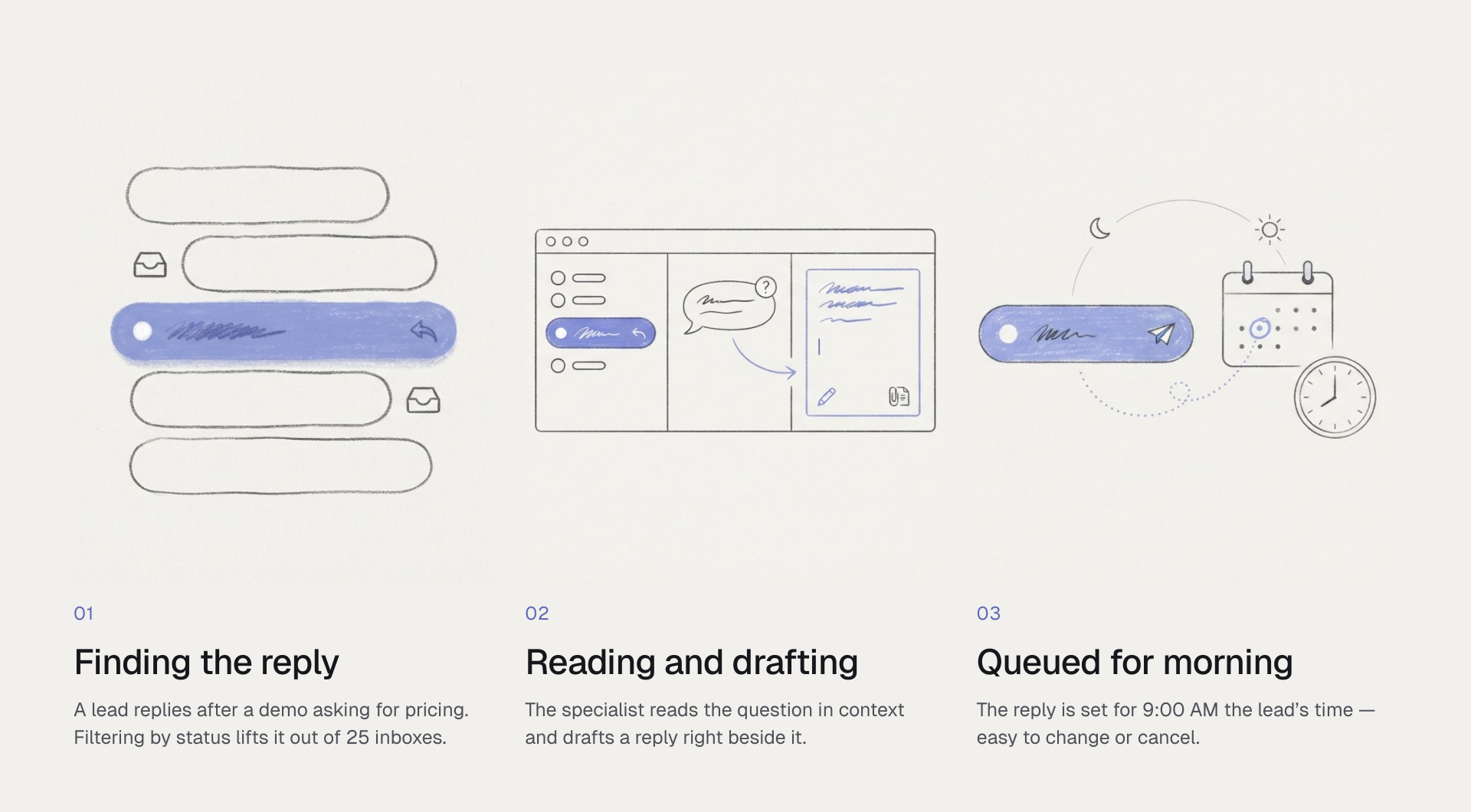
Three hand-drawn panels on a board, walking one reply from arrival to send.
                  01, Finding the reply: a stack of inbox rows with one lit up — a lead writes back
                  after a product demo asking for pricing, and filtering by lead status lifts it out of
                  twenty-five connected inboxes. 02, Reading and drafting: the thread open in a window with
                  the question beside it and a reply being written in place, pricing sheet attached, without
                  leaving Onebox. 03, Queued for the morning: the reply travelling past a moon and a sun to a
                  calendar and a clock — rather than going out late at night it is scheduled for
                  9:00 AM the lead’s time, and waits in Scheduled emails where the send can be
                  changed or cancelled. Three hand-drawn panels on a board, walking one reply from arrival to send.
                  01, Finding the reply: a stack of inbox rows with one lit up — a lead writes back
                  after a product demo asking for pricing, and filtering by lead status lifts it out of
                  twenty-five connected inboxes. 02, Reading and drafting: the thread open in a window with
                  the question beside it and a reply being written in place, pricing sheet attached, without
                  leaving Onebox. 03, Queued for the morning: the reply travelling past a moon and a sun to a
                  calendar and a clock — rather than going out late at night it is scheduled for
                  9:00 AM the lead’s time, and waits in Scheduled emails where the send can be
                  changed or cancelled.

The flow, end to end

That scenario, end to end — finding the reply among everything else, reading where the lead stands, writing back, and leaving the follow-up scheduled.

Step 01

Filtered inbox

Every campaign and all twenty-five inboxes in one list, with status filters down the side, so the right thread can be found without opening anything.

Step 02

Read conversation

Opening a thread puts the lead’s status, campaign and inbox on one line above the messages, so where they stand is answered before the reply is read.

Step 03

Compose reply

The reply composes in place under the message it answers, with Send and Schedule send side by side, so choosing when to send is part of writing it.

Step 04

Scheduled email

Anything scheduled moves into its own view with the time it will go out, where it can be rescheduled, cancelled or sent immediately.

Try the Onebox flow

Try the prototype below. Open Jeanne’s thread, draft a reply, and schedule it for tomorrow morning.
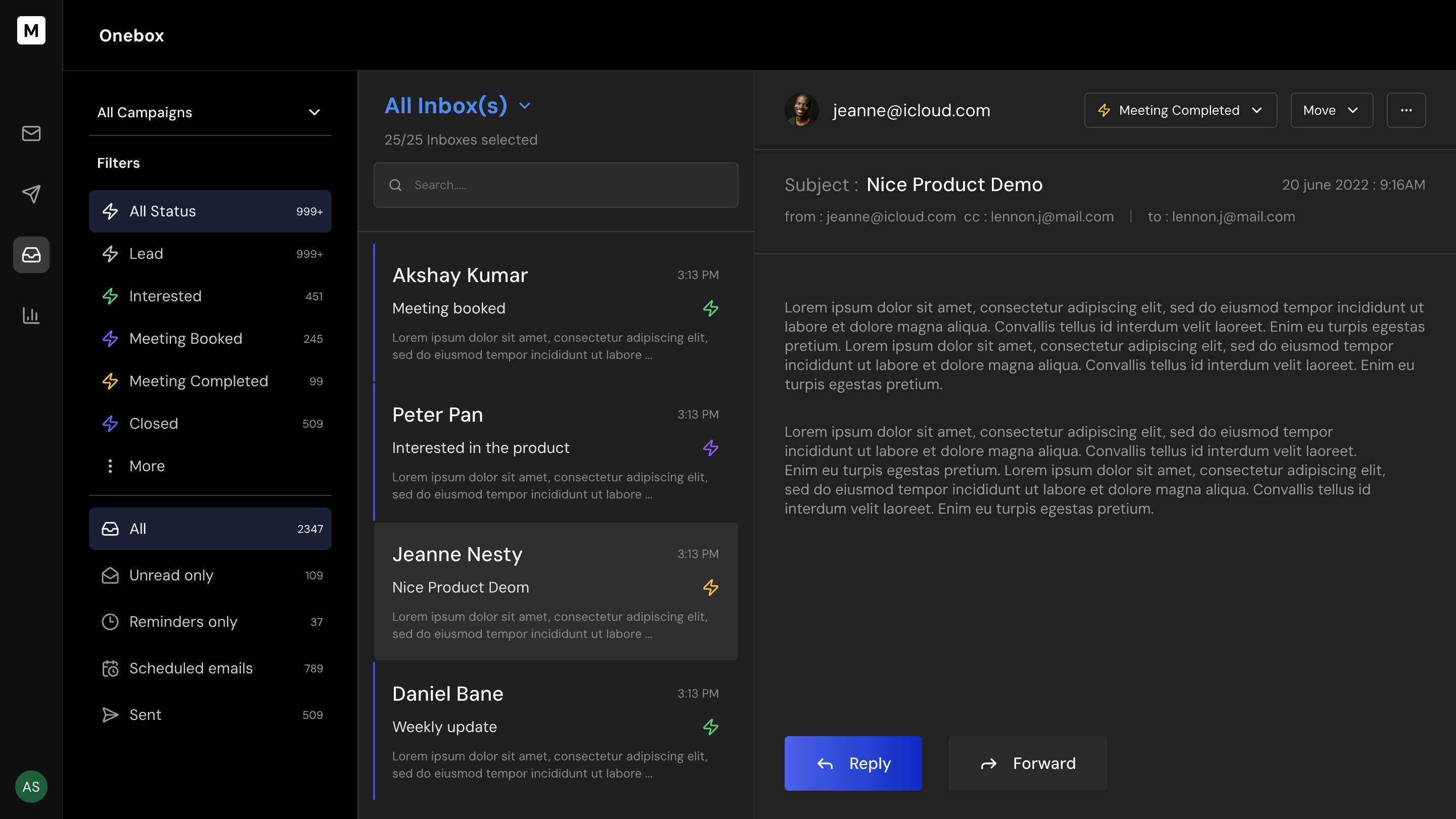
Onebox interactive prototype screen

More work

Press ESC to go back to the previous page.